Modern envelope budgeting
Digital Envelope Budgeting
Use the envelope budgeting method without carrying cash. RealBudget helps you create digital envelopes, track spending, and know exactly what's left.
Manual budgeting is free. Bank sync and sharing are optional premium features.
What is digital envelope budgeting?
Digital envelope budgeting uses virtual envelopes instead of physical cash envelopes. Each envelope represents a spending category, such as groceries, gas, eating out, savings, or annual bills.
You assign money to envelopes, then spending reduces the available amount in the matching category. The goal is to make decisions from what is available, not from a bank balance that may already be needed for something else.
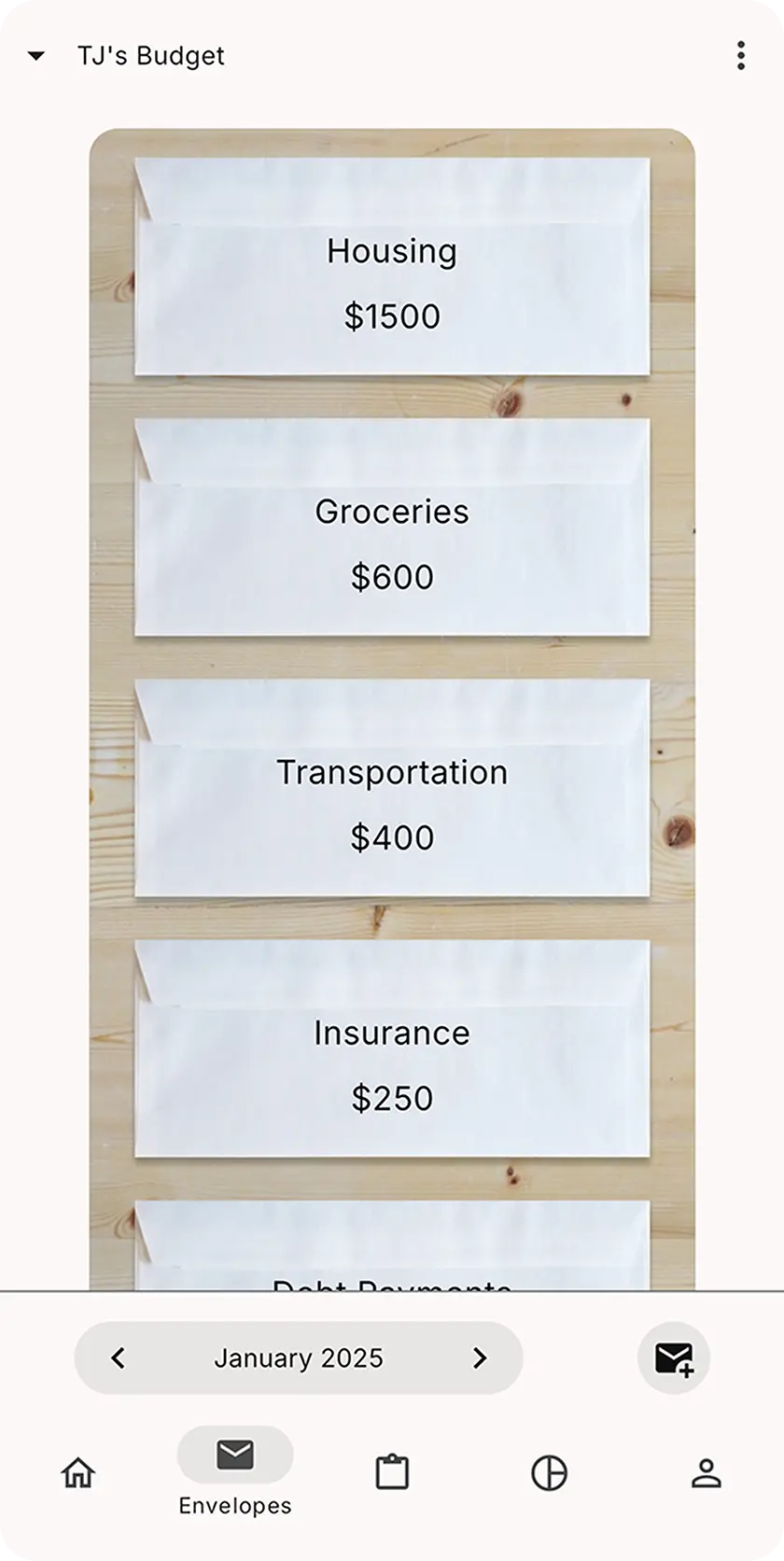
Cash envelopes vs digital envelopes
Cash envelopes can still work well for people who like physical limits. Digital envelopes keep the same idea while fitting card purchases, online bills, and mobile access.
| Category | Cash envelopes | Digital envelopes |
|---|---|---|
| Envelope format | Physical envelopes with cash inside | Virtual envelopes with balances in an app |
| Spending style | Works best for cash purchases | Works with card spending, manual entry, and optional bank-connected tracking |
| Sharing | Harder to share unless everyone handles the same cash | Easier to share when the app supports household budgeting |
| History | Limited digital record unless you track separately | Clearer transaction history and category balances |
| Access | Requires handling cash and envelopes | Available on mobile and web when the app supports it |
Why digital envelope budgeting works
The method works because it gives spending a visible boundary. A category balance is easier to act on than one large account balance.
How digital envelope budgeting works step by step
The workflow is simple enough to start today and flexible enough to improve as you learn.
Step 1
Create envelopes
Choose categories such as groceries, rent, gas, eating out, savings, subscriptions, and irregular expenses.
Step 2
Assign money to each envelope
Give available money a job before spending it. Each envelope gets a clear amount to work with.
Step 3
Track spending
When money is spent, record the transaction so the matching envelope balance goes down.
Step 4
Check what's left before spending
Use the envelope balance, not just the bank balance, to decide what is safe to spend.
Step 5
Adjust when life changes
Move money between envelopes when priorities change, prices shift, or a surprise expense appears.
Want the full beginner walkthrough? Read how to start envelope budgeting.
Manual tracking is free
Manual tracking can increase awareness because every transaction asks you to notice where money went. In RealBudget, manual envelope budgeting is free with unlimited envelopes.
Learn more about RealBudget as a free envelope budgeting app.
Bank sync is optional
You do not need to connect a bank to use digital envelope budgeting. Optional bank sync is a premium feature for people who want transactions imported automatically.
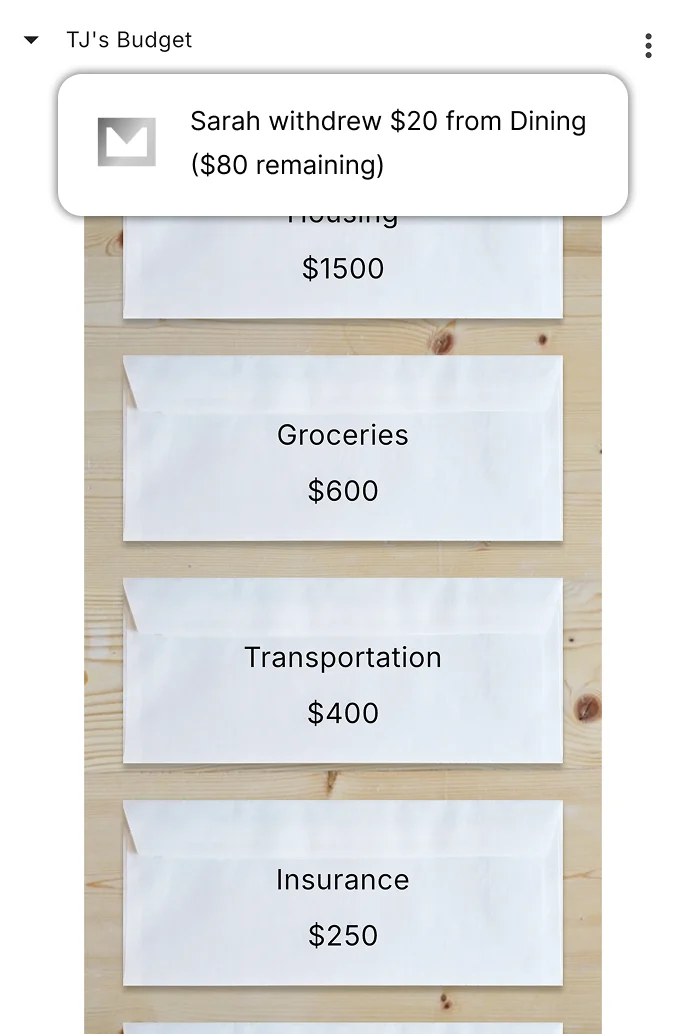
Digital envelope budgeting for couples and families
Shared categories can make household spending clearer. Instead of one person carrying the whole budget in their head, both partners can understand what is left for groceries, bills, date nights, savings, and irregular expenses.
RealBudget supports budget sharing as an optional premium feature. Learn more about RealBudget as a budgeting app for couples.
How RealBudget helps
RealBudget keeps digital envelope budgeting practical: create a plan, track spending, and check what is left before the next purchase.
Who digital envelope budgeting is best for
Digital envelopes may be a good fit when you like the clarity of cash envelopes but want a system that works with modern spending.
- like the idea of cash envelopes but use cards
- want clear category balances
- want to stop relying only on checking account balance
- want a simple budgeting system
- want to budget with a partner or family
- want manual tracking with optional automation
Digital envelope budgeting FAQ
What is digital envelope budgeting?
Digital envelope budgeting is the envelope budgeting method moved into an app. You create virtual envelopes for spending categories, assign money to them, and track spending so each balance shows what is left.
Is digital envelope budgeting the same as cash envelopes?
It uses the same core idea, but the envelopes are digital instead of physical. Cash envelopes can still work well for some people, while digital envelopes are often more convenient for card spending, online bills, and shared budgets.
Do I need to use cash?
No. Digital envelope budgeting lets you use cards, online payments, and manual transaction tracking while still making decisions from envelope balances.
Can I use digital envelope budgeting without connecting my bank?
Yes. RealBudget supports manual envelope budgeting without connecting a bank. Bank sync is optional and available as a premium feature.
Is RealBudget free for manual envelope budgeting?
Yes. RealBudget offers free manual envelope budgeting with unlimited envelopes. Bank sync and budget sharing are optional premium features.
Can couples use digital envelope budgeting together?
Yes. Digital envelopes can help couples and families see what is left in shared categories. RealBudget supports budget sharing as an optional premium feature.
What is the difference between envelope budgeting and zero-based budgeting?
Envelope budgeting divides money into categories. Zero-based budgeting means assigning all available money to a job. Many envelope budgets use a simple zero-based style, but the main goal is clear category balances.
Comparing budgeting apps? See why RealBudget may be a simpler YNAB alternative.
Related envelope budgeting resources
What Is Envelope Budgeting?
Review the core envelope method before comparing digital tools.
How to Start Envelope Budgeting
Follow a step-by-step path from first envelopes to daily use.
Free Envelope Budgeting App
See how RealBudget supports free manual digital envelopes.
Budgeting App for Couples
Learn how shared digital envelopes can help households stay aligned.
Free Envelope Budgeting Tool
Test a quick envelope allocation before building your budget.
Start digital envelope budgeting with RealBudget
Create envelopes, track spending, and know exactly what's left.